

How to Reduce Your Website Bounce Rate: 2025 Optimization Guide
Your analytics dashboard shows a 75% bounce rate. Your palms get sweaty. Is your website broken? Are visitors fleeing in disgust?
Take a breath. A high bounce rate isn’t always catastrophic. Context matters immensely.
A blog post visitor who reads your entire article then leaves? That’s technically a bounce, but a successful one. An e-commerce product page with that same metric? That’s a problem requiring immediate attention.
This guide walks you through diagnosing your specific bounce rate issues and implementing fixes that actually work. You’ll learn when to worry, what to measure, and how to optimize systematically. By the end, you’ll have a clear action plan tailored to your website’s unique situation.
Understanding Bounce Rate in 2025: What Actually Counts
Bounce rate measures the percentage of visitors who leave after viewing just one page. They arrive, look around briefly, then exit without clicking anything else.
Google Analytics 4 changed the game in 2023. The platform now emphasizes engagement rate instead. An engaged session requires at least 10 seconds on site, a conversion event, or two page views.
This shift matters. A visitor who spends three minutes reading your blog post? Universal Analytics counted that as a bounce. GA4 recognizes it as engagement.
Think of bounce rate as the inverse of engagement rate. If your engagement rate is 60%, your bounce rate is 40%. Simple math, different perspectives.
What Actually Constitutes a Bounce
Several scenarios create bounces:
- Clicking the back button immediately after landing
- Closing the browser tab within seconds
- Typing a new URL to leave your site
- Staying inactive for 30 minutes (session timeout)
- Spending less than 10 seconds without any interaction (GA4)
Notice what’s missing? Reading content doesn’t prevent bounces in older analytics systems. Many “bounces” are actually satisfied visitors who found exactly what they needed.
Industry Benchmarks: Is Your Rate Normal?
Bounce rates vary wildly by industry and page type. Here’s what’s typical in 2025:
Content blogs: 65-90% (perfectly normal)
E-commerce product pages: 20-45%
Landing pages: 60-90% (depends on campaign goals)
Service websites: 30-55%
SaaS homepages: 25-45%
Lead generation pages: 30-50%
Mobile traffic typically shows 5-15% higher bounce rates than desktop. This gap reflects smaller screens and on-the-go browsing behavior.
When High Bounce Rates Are Actually Good
Stop obsessing over the number alone. Context determines whether your rate signals problems.
High bounce rates work fine for:
Single-purpose pages: Contact information directories, store locators, and hour listings serve visitors quickly. Mission accomplished.
Answer-focused content: “What is bounce rate?” posts deliver complete answers immediately. Visitors leave satisfied, not frustrated.
External campaigns: Email newsletters linking to specific articles often show 80%+ bounce rates. Subscribers got exactly what you promised.
Thin content hubs: Wikipedia-style reference pages typically see high bounces. Users find their answer, then leave.
The key? Determine whether visitors accomplished their goal before leaving.
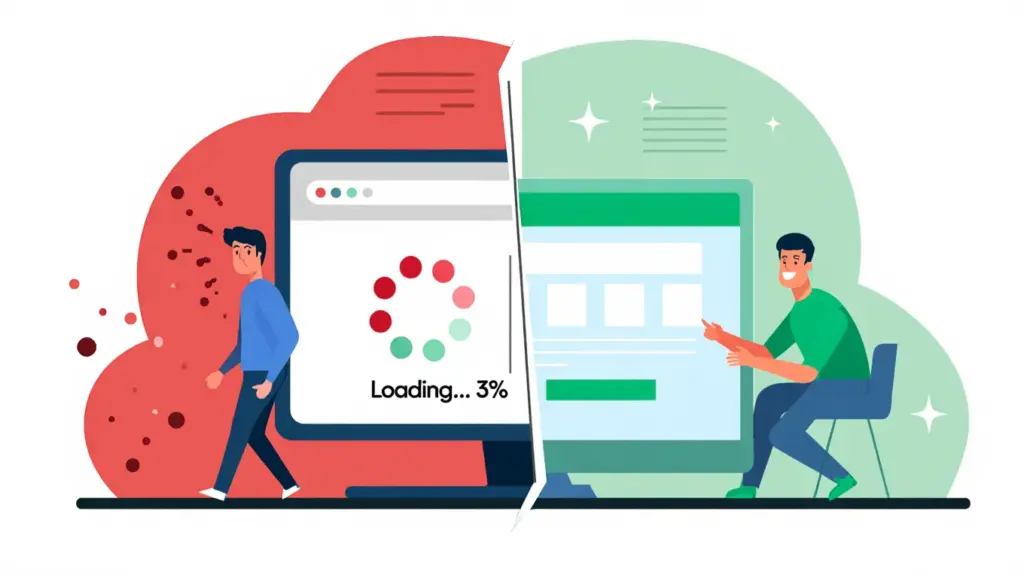
Diagnosing Your Specific Bounce Rate Problems
Generic advice wastes time. Segment your data to identify actual issues.
Critical Analytics Reports to Examine
Open Google Analytics 4 and navigate to these reports:
Pages and screens report (Engagement > Pages and screens): Which specific pages hemorrhage visitors? Sort by bounce rate, then filter for pages with substantial traffic. Low-volume pages skew data.
Focus on high-traffic pages with unusually elevated rates. Your homepage showing 70% while similar sites average 40%? Investigate immediately.
Traffic acquisition report (Acquisition > Traffic acquisition): Bounce rates vary dramatically by source. Organic search visitors might engage beautifully at 35%, while display ads bounce at 85%.
This reveals targeting problems, not website issues. Your content works fine; your traffic sources don’t align with visitor intent.
Landing pages report (Engagement > Landing pages): Where do bounces actually happen? Most visitors don’t enter through your homepage. They land on blog posts, product pages, or campaign-specific destinations.
Identify your top 10 landing pages. These matter most for overall site health.
Device category breakdown (add comparison dimension): Mobile bounce rates should fall within 10-15 percentage points of desktop. Wider gaps indicate responsive design problems.
Check your Core Web Vitals specifically for mobile using Google Search Console. Poor mobile experience devastates engagement. Google’s mobile-first indexing means mobile performance directly impacts rankings.
Red Flags vs. Normal Patterns
Certain patterns scream “fix this immediately”:
Immediate exits: Average session duration under 10 seconds indicates serious problems. Visitors can’t even consume your content in that timeframe.
Universal high bounce rates: Every page bouncing at 80%+? Technical issues, not content problems. Check site speed, mobile rendering, and JavaScript errors.
Single-source spikes: One traffic channel bouncing dramatically higher? Misaligned messaging between your ads/links and landing page content.
Sudden increases: Bounce rate jumped 30% overnight? Recent website changes broke something. Roll back or diagnose the specific update.

Technical Optimization: The Foundation Layer
Slow websites frustrate visitors before they even see your content. Page speed improvements often deliver the biggest bounce rate reductions.
Core Web Vitals Optimization
Google’s Core Web Vitals measure real user experience. Three metrics matter most:
Largest Contentful Paint (LCP): Your main content should load within 2.5 seconds. Anything slower feels sluggish, triggering immediate exits.
Optimize LCP by:
- Compressing hero images to under 200KB using WebP format
- Implementing lazy loading for below-fold content
- Upgrading to faster hosting with better server response times
- Using a CDN to serve assets from geographically closer servers
First Input Delay (FID) / Interaction to Next Paint (INP): Visitors expect instant responses when clicking buttons or links. Delays over 200 milliseconds feel unresponsive.
Reduce interaction delays by:
- Minimizing JavaScript execution blocking the main thread
- Breaking up long JavaScript tasks into smaller chunks
- Removing unused third-party scripts (old ad pixels, abandoned analytics)
- Deferring non-critical JavaScript to load after main content
Cumulative Layout Shift (CLS): Nothing annoys visitors faster than content jumping around while loading. They try clicking a link, but an ad loads above, shifting everything down. They accidentally click the ad instead.
Prevent layout shifts by:
- Reserving space for ads, images, and embeds with explicit dimensions
- Avoiding inserting content above existing content after page load
- Using font-display: swap carefully with consistent fallback fonts
Run your pages through PageSpeed Insights for specific, prioritized recommendations. Focus on the highest-impact suggestions first.
Mobile Experience Optimization
Over 60% of web traffic comes from mobile devices. Poor mobile experiences devastate bounce rates.
Test your site on actual phones, not just desktop browser emulators. Real devices reveal problems simulators miss:
Tap targets too small: Buttons under 48×48 pixels frustrate mobile users. They mis-tap repeatedly, then abandon in frustration.
Text too small: Body text under 16px requires zooming. Visitors won’t bother. They’ll bounce to more readable competitors.
Horizontal scrolling: Content extending beyond viewport width signals broken responsive design. Fix your CSS breakpoints immediately.
Interstitials and popups: Mobile pop-ups covering full screens anger visitors. Google penalizes intrusive interstitials in mobile search rankings. Use subtle banners instead.
Form complexity: Long forms kill mobile conversions. Each extra field increases bounce rates. Reduce fields to absolute essentials.
Technical Issues Causing Silent Bounces
Some problems aren’t obvious visually but destroy user experience:
JavaScript errors: Open browser console (F12) on your pages. Red errors? Many visitors experience broken functionality. Fix these first.
404 errors from internal links: Broken links signal neglect. Visitors question your credibility, then leave. Regularly audit internal links using Screaming Frog or similar tools.
HTTPS issues: Mixed content warnings (HTTP elements on HTTPS pages) scare visitors. Browsers display security warnings. Fix all internal references to use HTTPS.
Font loading problems: Text appearing as invisible for 3-4 seconds during font loading (FOIT) makes visitors think the page is broken. Implement proper font loading strategies.
Content and UX: Meeting Visitor Expectations
Lightning-fast technical performance means nothing if your content disappoints. Align what visitors see with what they expected to find.
Above-the-Fold Content Optimization
Visitors decide within 3-5 seconds whether your page deserves their attention. What appears immediately matters enormously.
The Nielsen Norman Group research shows users spend 80% of their time above the fold. Optimize this prime real estate ruthlessly:
Immediate value proposition: State what this page offers within the headline and subheadline. Ambiguity triggers instant bounces.
Visual hierarchy: Guide eyes naturally through your content. Use size, color, and spacing to establish clear priority. Most important elements should dominate visually.
Relevant imagery: Hero images must reinforce your message. Generic stock photos add zero value while slowing load times. Remove them or replace with meaningful visuals.
Compelling first paragraph: Answer the visitor’s core question immediately. Burying your answer forces unnecessary scrolling. Respect their time.
Content-Intent Alignment
Bounce rates soar when content doesn’t match search intent. A visitor searching “iPhone 15 Pro price” wants numbers, not a 2,000-word history of iPhone evolution.
Informational intent: Visitors want answers. Deliver comprehensive information without aggressive sales pitches. Product mentions work fine; constant CTAs annoy.
Commercial intent: Visitors research purchases. Provide detailed comparisons, specifications, and honest pros/cons. Pure sales copy triggers skepticism.
Transactional intent: Visitors want to buy NOW. Put products, pricing, and “Add to Cart” buttons front-and-center. Background information matters less.
Navigational intent: Visitors seek specific pages or companies. Ensure your homepage or target pages load quickly with clear navigation options.
Audit your top landing pages. Run them through Google in incognito mode. Does your content actually answer what the search term implies? Misalignment causes bounces.
Navigation and Internal Linking
Visitors can’t engage with pages they can’t find. Clear navigation pathways reduce bounce rates naturally.
Descriptive menu labels: “Solutions” tells visitors nothing. “Email Marketing Software” sets clear expectations. Specific labels guide exploration.
Contextual internal links: Link to 3-5 related pages within your content. Use descriptive anchor text that promises clear value. “Learn more” links underperform “See our complete guide to email automation.”
Related content modules: “You might also like” sections encourage continued browsing. Feature your best content strategically, not randomly.
Search functionality: Visitors who can’t find what they need immediately bounce. Prominent search boxes reduce frustration, especially for large sites.
Breadcrumb navigation: Help visitors understand site structure and navigate backward without hitting the back button. Especially critical for e-commerce and large content sites.
Readability and Visual Presentation
Dense walls of text intimidate readers. They bounce before giving your content a chance.
Shorter paragraphs: Break text into 2-4 sentence chunks. White space makes content approachable.
Bullet points and numbered lists: Scannable formatting helps visitors extract value quickly. Lists outperform paragraph explanations for step-by-step instructions.
Subheadings every 300 words: Descriptive H2 and H3 tags help visitors navigate to relevant sections. They can jump directly to needed information.
Bold key concepts: Strategic emphasis guides attention to critical points. Overuse diminishes impact, so highlight sparingly.
Font size minimum 16px: Smaller text strains eyes, especially on mobile. Comfortable reading encourages longer engagement.
Line height 1.5-1.8: Tight line spacing (under 1.4) makes text harder to read. More generous spacing improves comprehension.
Contrast ratios: Light gray text on white backgrounds fails accessibility standards. Use dark enough colors for easy reading.
Traffic Quality: Attracting the Right Visitors
Perfect technical performance and brilliant content still fail if you’re attracting the wrong audience. Misaligned traffic inevitably bounces.
Keyword Intent Alignment
Ranking for keywords your content doesn’t actually address wastes everyone’s time.
Audit your top organic keywords: Check Search Console (Performance > Search results). Which queries drive traffic? Does your content truly satisfy those searches?
Match content to search intent: If you rank for “best project management software” but offer generic productivity tips, visitors bounce. Create dedicated comparison content or accept you won’t rank well.
Target long-tail keywords: Specific phrases like “project management software for remote teams under 50 people” attract better-qualified visitors than broad terms like “project management.”
Review misaligned rankings: Sometimes you rank for terms you never intended. Either optimize to better serve that intent or use robots.txt to stop wasting crawl budget.
Meta Description and Title Tag Accuracy
Misleading titles and descriptions drive traffic that bounces instantly. Honest, accurate descriptions attract qualified visitors.
Promise only what you deliver: Title claiming “Complete 2025 SEO Guide” on a 500-word beginner overview disappoints readers. Set accurate expectations.
Include target keyword naturally: Helps visitors confirm they’ve found relevant content. But avoid keyword stuffing that reads awkwardly.
Unique meta descriptions: Duplicate descriptions across pages confuse visitors about content differences. Write specific descriptions for each important page.
Compelling but truthful: Stand out in search results without resorting to clickbait. “Honest Email Marketing Software Comparison” outperforms “This Email Tool Will SHOCK You.”
Paid Traffic Optimization
Paid campaigns often suffer higher bounce rates than organic traffic. Tighter targeting and message matching help.
Ad copy alignment: Your landing page headline should mirror your ad copy almost exactly. Visitors arrived because specific messaging resonated. Changing messaging causes confusion and bounces.
Landing page-campaign matching: Send different campaigns to different landing pages. Generic homepages don’t serve specific ad promises well.
Negative keywords: Exclude irrelevant searches draining budget while inflating bounce rates. Someone searching “free” probably won’t buy your premium product.
Audience targeting refinement: Platforms like Facebook and LinkedIn allow detailed targeting. Broader audiences cost less but bounce more. Test narrower segments.
Retargeting adjustments: Visitors who bounced once need different messaging than cold traffic. Acknowledge their previous visit in retargeting campaigns.
Advanced Optimization Tactics for Engagement
Basic fixes reduce bounces. Advanced tactics create compelling experiences that encourage exploration.
Interactive Elements
Static content prompts passive consumption. Interactive elements demand engagement, reducing bounces naturally.
Calculators and tools: ROI calculators, size guides, and assessment tools provide immediate value while capturing contact information. Visitors spend more time using tools than reading.
Quizzes and assessments: “What type of marketing strategy fits your business?” quizzes entertain while educating. Completion requires multiple page views.
Embedded videos: Video content keeps visitors engaged longer. But autoplay often backfires, so default to click-to-play.
Progressive disclosure: Show summaries with “expand to read more” options. Visitors consume what interests them without facing overwhelming walls of text.
Comparison tables: Interactive filters on comparison charts let visitors customize information to their needs. Engagement increases naturally.
Personalization Strategies
Generic content serves everyone poorly. Personalized experiences dramatically reduce bounce rates.
Geographic targeting: Show relevant content based on visitor location. Display local stores, appropriate currencies, and regional testimonials.
Return visitor recognition: Welcome back messaging shows you value them. Suggest picking up where they left off or viewing related content.
Behavior-based recommendations: Recommend content based on pages already viewed. “Since you read X, you might enjoy Y” drives continued engagement.
Traffic source personalization: Visitors from social media need different first impressions than organic search visitors. Test customized experiences by referral source.
Exit-Intent Interventions
Exit-intent technology detects when visitors start to leave. Strategic interventions can retain them.
Value-add overlays: Offer content upgrades, checklists, or templates as incentive to stay. “Before you go, download our free guide” works if the offer genuinely helps.
Survey questions: “Was this helpful?” or “What were you looking for?” provides valuable feedback while encouraging reconsideration.
Related content suggestions: Pop up highly relevant articles or products matching what they just viewed. Make continued exploration effortless.
Time-based triggers: Exit intent on quick bounces (under 30 seconds) probably annoys. Wait until visitors spend 2-3 minutes before intervening.
One-time display: Visitors seeing the same exit popup repeatedly become irritated. Use cookies to show interventions once per week maximum.
Measuring Success and Continuous Improvement
Optimization isn’t one-and-done. Establish measurement systems for continuous improvement.
Setting Realistic Goals
Bounce rate improvements take time. Setting unrealistic expectations leads to abandoned optimization efforts.
Baseline measurement period: Gather at least 30 days of data before changes. Short periods don’t account for normal fluctuation.
Benchmark against similar sites: Compare your rate to industry averages for your site type. Blogs shouldn’t target e-commerce benchmarks.
Segment goals by page type: Your blog might target 65% while product pages aim for 35%. Universal goals ignore page purpose.
Focus on high-traffic pages first: Improving your homepage bounce rate from 60% to 45% with 10,000 monthly visits dramatically impacts overall metrics. Optimizing a page with 50 visits barely moves the needle.
Expect gradual improvement: Reducing bounce rate by 5-10 percentage points in 90 days represents excellent progress. Expecting 50% drops sets you up for disappointment.
Metrics Beyond Bounce Rate
Bounce rate tells part of the story. Additional metrics provide fuller context.
Average engagement time: GA4’s replacement for “time on page.” Low engagement time with low bounce rate suggests technical tracking issues.
Pages per session: Rising pages per session while bounce rate stays steady means visitors who do engage are exploring more thoroughly. Good sign.
Scroll depth: Visitors might technically “bounce” but scroll through 90% of your content. Install scroll tracking to capture this engagement.
Conversion rate: The ultimate metric. Bounce rate could increase while conversions improve if you’re attracting better-qualified visitors.
Return visitor rate: Visitors coming back repeatedly matters more than initial bounce behavior. Strong return rates indicate genuine value.
A/B Testing Methodology
Systematic testing separates impactful changes from random noise.
Test one variable at a time: Changing headlines, images, and layout simultaneously makes identifying the effective change impossible. Isolate variables.
Reach statistical significance: Small traffic sites need longer test periods. Use A/B testing calculators to determine required sample sizes before drawing conclusions.
Test high-traffic pages first: Faster results mean quicker learning. Homepage and top landing pages provide statistically significant data fastest.
Document everything: Record what you tested, why you tested it, results, and conclusions. Build institutional knowledge over time.
Test bold hypotheses: Small changes produce small results. “What if we completely restructure our navigation?” tests often reveal breakthrough improvements.
Continuous Improvement Framework
Optimization never ends. Establish repeating processes that compound results over time.
Monthly analytics reviews: Block time to examine bounce rate trends, segment changes, and identify new problem areas. Regular reviews prevent backsliding.
Quarterly content audits: Update outdated information, improve thin content, and consolidate competing pages. Fresh, comprehensive content reduces bounces.
User testing sessions: Watch real people use your site. Their frustrations reveal problems analytics miss. Services like UserTesting provide affordable user feedback.
Competitor analysis: What are better-performing competitors doing differently? Identify gaps in your experience, then close them with your unique approach.
Stay current on platform changes: Google Analytics evolves constantly. New features provide better insights when you understand them. Follow official blogs and documentation.
Your Action Plan Starts Now
You’ve absorbed the framework. Now implement it.
Start with your highest-traffic landing page. Check load speed on PageSpeed Insights. Fix any Core Web Vitals issues first. Speed improvements often reduce bounce rates by 10-15 percentage points alone.
Next, review that page’s content. Does it immediately answer what visitors sought? Rewrite your opening paragraph to deliver value within the first 50 words.
Finally, examine traffic sources for that page. Does one channel show dramatically higher bounce rates? That reveals targeting issues, not content problems.
Implement those three fixes this week. Measure results in 30 days. Then tackle your next highest-traffic page.
Bounce rate optimization isn’t mysterious. It’s systematic diagnosis followed by methodical improvements. The websites with the lowest bounce rates didn’t get there through luck. They earned it through continuous, data-driven refinement.
Your analytics dashboard won’t transform overnight. But in 90 days, you’ll see meaningful progress. More importantly, your visitors will have better experiences. They’ll stay longer, explore more pages, and convert more often.
That’s the real goal. Bounce rate is just the measurement. Better user experiences are the destination.
Leave a Reply